Power Ruler
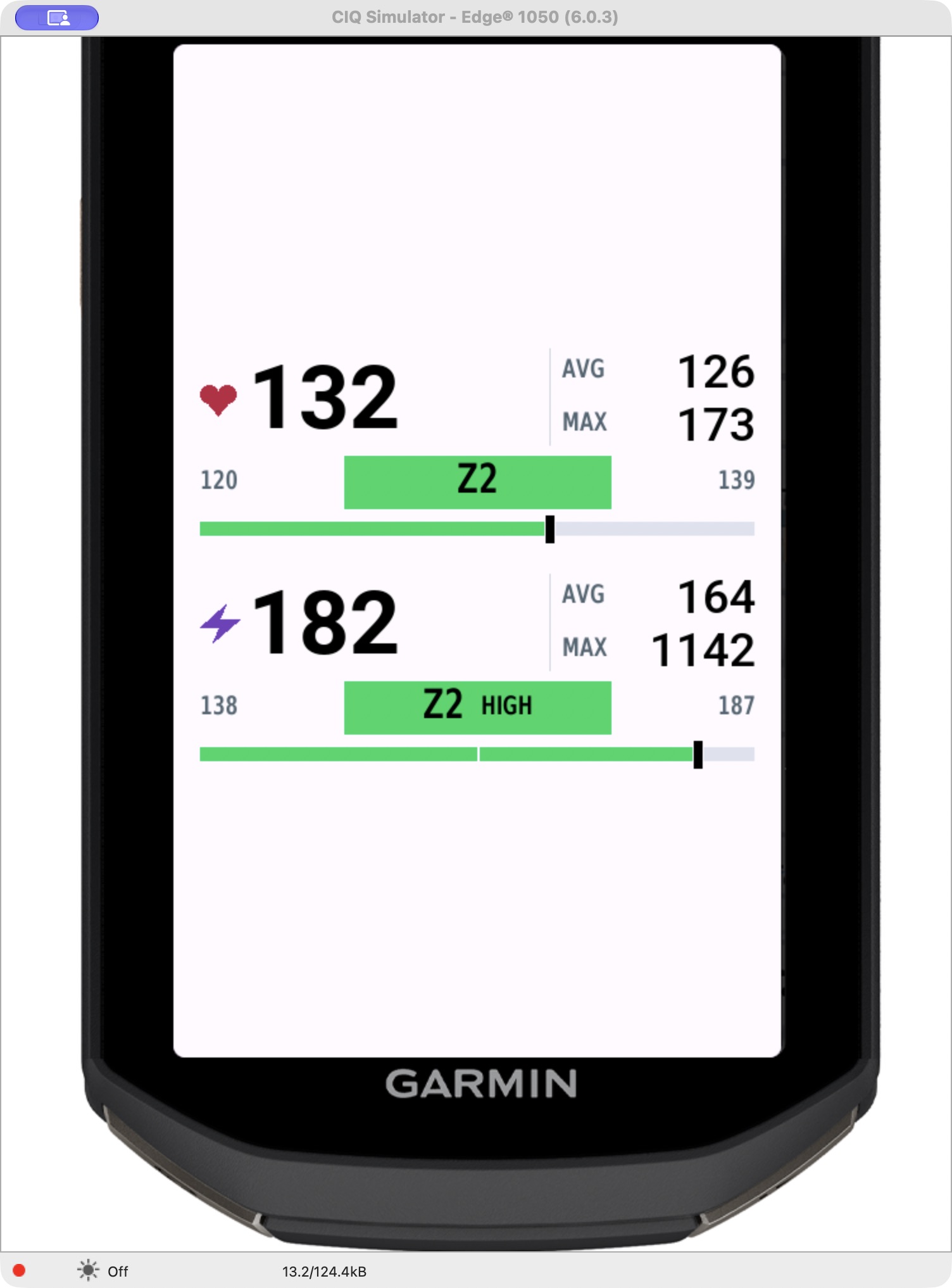
Know your power zone and which half you’re in. LOW and HIGH add context within each bounded zone.
- Current power, ride average and ride maximum
- Cycling zones, with cycling FTP fallback
- Optional manual watt limits for your own zones
Two data fields. One clear view.
Power. Heart rate. The numbers that matter, right where you need them.
For Garmin Edge. One-time purchase.
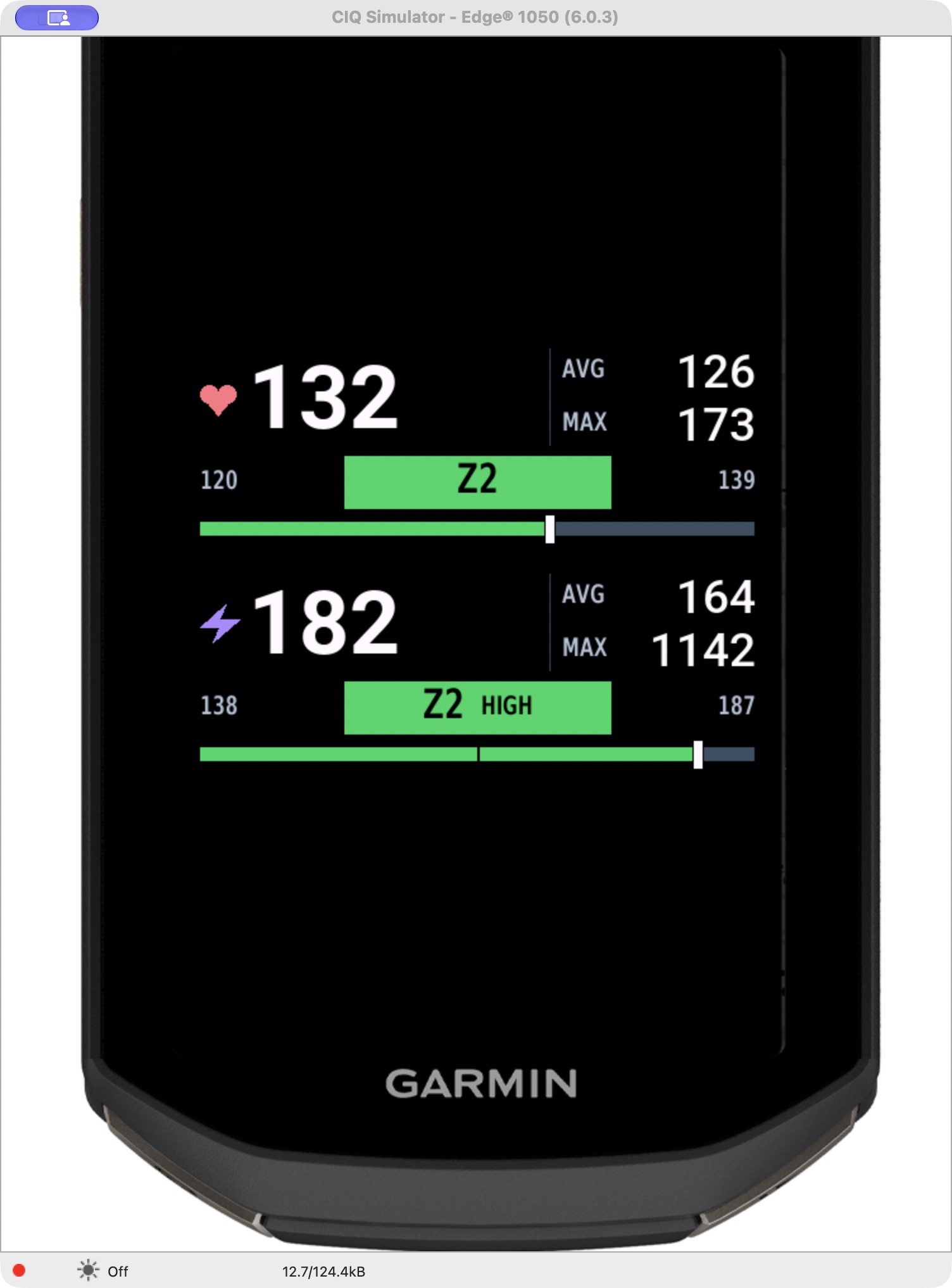
Actual simulator preview
Current. Average. Maximum.The familiar numbers, now with zone context.
See a zone changeMade for your data page
Keep the stats you use. Add your zone, its boundaries and a clear marker of where you are within it.
Know your power zone and which half you’re in. LOW and HIGH add context within each bounded zone.
Keep heart rate and effort in the same view. A simple zone label, without a LOW / HIGH split.
The detail that makes the difference
A filled zone badge gives the change a clear visual cue. Try moving from the top of Z1 into Z2.
Interactive illustration · example FTP: 250 W.
Your limits depend on your settings.
130 W · Z1 HIGH · zone limits 0–137 W
The complete pair
Power Ruler + Heart Ruler for your Garmin Edge.
Each field is US$0.99 separately.
Select the US$1 bundle at KiezelPay checkout.
Local taxes or payment-method fees may apply.
Before your next ride
Install both fields separately.
Pay once for the pair.
Open the two Connect IQ listings on your phone. Install each field on your compatible Edge, then add it to a full-width slot on your activity’s data page.
Keep your Edge connected to Garmin Connect on your phone. Enter the code shown by either field at KiezelPay and choose Zone Rulers — Power + Heart.
Enter your device code ↗Enter the code shown by the second field, choose Already Purchased, and use the email from your purchase. Keep the phone connected while the license updates.
No second checkout needed.
Good to know
Need a hand? Use Contact Developer on either Connect IQ listing.
Open developer contact ↗Version 1.0.6 adds Edge 540, 550, 840, 850 and 1040 alongside Edge 1050. Version 1.0.6 is available on Connect IQ and has passed simulator checks across all six models. Check the Compatible Devices list in Connect IQ before installing. Power Ruler requires a compatible power source; Heart Ruler requires a compatible heart rate source. Pair your sensors with the Edge and use a full-width data-field slot.
Manual watt limits take priority, followed by valid cycling zones from the device. If those are unavailable, Power Ruler reads cycling FTP and uses standard seven-zone boundaries at 55%, 75%, 90%, 105%, 120% and 150% of FTP. These may differ from custom percentages. Set cycling FTP on the Edge or enter manual limits if the field displays SET ZONES.
Heart Ruler shows the heart rate zone without subdividing it. Power Ruler splits bounded zones into LOW and HIGH; the open-ended top power zone has no split.
An installation may need its license restored after reinstalling or changing devices. At kzl.io/code, enter the displayed code and choose Already Purchased. Use the email from the original purchase. If you bought the bundle, repeat for the second field; you do not need to pay again.
No. The current Zone Rulers — Power + Heart bundle is a one-time US$1 purchase through KiezelPay. Choose the bundle during checkout to cover both fields. Taxes or payment-method fees may apply.
Keep your Edge connected to the Garmin Connect app on a phone with internet access. Leave the data page open while the field checks its license. If you already purchased, use Already Purchased with your original receipt email.
The fields process ride measurements on your Edge. They do not send your power, heart rate, ride history or location to the developer or KiezelPay. License checks share technical installation information. Read our privacy policy for details.
Your ride. Your numbers.